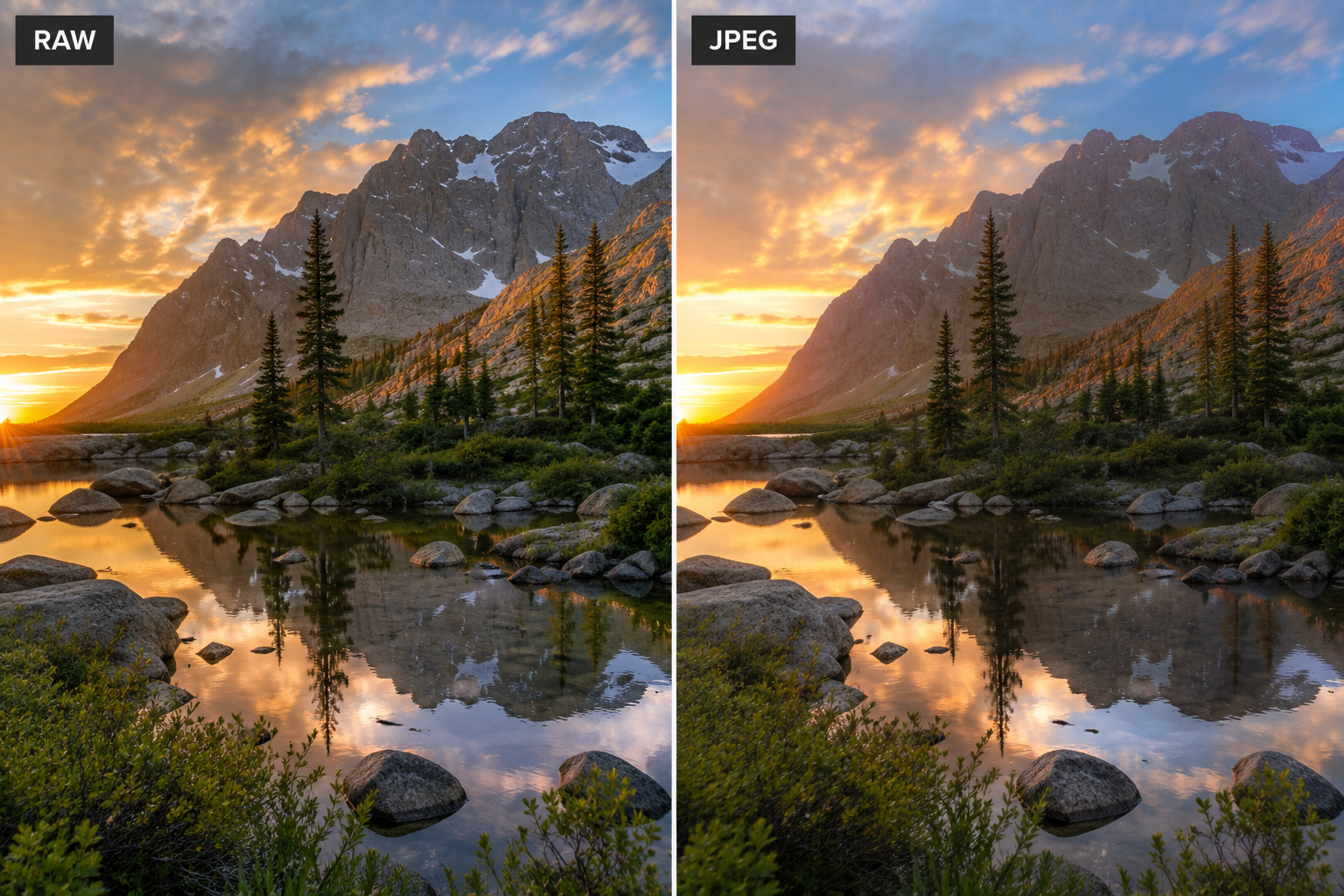
What Is a RAW File
A RAW file is the unprocessed output of your camera's sensor. When your camera captures a RAW image, it records the raw light data from every pixel without applying sharpening, color processing, noise reduction, or exposure adjustments. What you get is a complete record of everything the sensor detected — nothing added, nothing discarded.
This completeness is both the value and the complication of shooting RAW. The file contains far more information than what's visible in the final image, which means you have significant latitude to adjust the image in post-processing. But it also means the image isn't finished when it leaves the camera — it requires editing software to produce a usable output file.
RAW files use proprietary formats that vary by manufacturer (.CR3 for Canon, .NEF for Nikon, .ARW for Sony, and so on). They can only be opened with compatible software — editing applications like Lightroom, Capture One, or the manufacturer's own tools.
What Is a JPEG
A JPEG is a compressed, processed image file. When your camera creates a JPEG, it applies a series of automatic processing decisions: white balance, sharpening, contrast, noise reduction, and color rendering are all applied based on the picture style or profile settings you've chosen. The result is then compressed — reducing file size — and delivered as a finished, universally compatible image.
JPEGs are immediately usable. You can share them directly, upload them to any platform, view them on any device, and print them without additional software. The image the camera delivers is, within the camera's processing capabilities, a complete photograph.
The trade-off is that the processing decisions are baked in and the compression is lossy. Some of the original sensor data is permanently discarded during JPEG creation. What you get is a smaller, more convenient file that has less room for significant adjustments after the fact.
RAW vs JPEG: Comparison Table
| Feature | RAW | JPEG |
|---|---|---|
| File size | Large (20–40MB typical) | Small (4–10MB typical) |
| Editing flexibility | Very high | Limited |
| Exposure recovery | 2–4 stops possible | 1 stop or less |
| White balance correction | Fully adjustable in post | Baked in, limited recovery |
| Ready to share out of camera | No — requires export | Yes |
| Software required | Yes (Lightroom, Capture One, etc.) | No |
| Compatible with all devices | No | Yes |
| Preserves full sensor data | Yes | No |
Editing Flexibility
The primary reason photographers choose RAW is editing latitude. With a RAW file, exposure can typically be adjusted by two to four stops in either direction while preserving acceptable image quality. White balance can be changed entirely without quality loss. Highlight detail that looks blown out in the preview can often be recovered from the underlying data. Shadow detail can be lifted without introducing excessive noise.
A JPEG, because the processing decisions are already applied and the file is compressed, has much less room to move. Pushing a JPEG's exposure significantly in editing reveals the compression artifacts and limited bit depth. White balance correction in a JPEG is possible but less complete. What was clipped in-camera is gone.
If your exposure, white balance, and color are consistently correct in-camera, the difference matters less. If you shoot in variable or challenging lighting — or you're still developing exposure accuracy — RAW's safety net has real practical value.
File Size and Storage
RAW files are significantly larger than JPEGs from the same camera. This has real implications: fewer images per memory card, more storage required for your archive, longer import times, and larger backup volumes.
On a 64GB card, you might fit 1,000+ JPEG images or 300–600 RAW images depending on your camera's resolution. For a long travel shoot or an extended event, the difference can matter. Budget for larger and more numerous memory cards, and plan your storage accordingly if you move to RAW.
Workflow Implications
Shooting RAW requires an editing workflow. Every RAW image needs to be brought into editing software, processed, and exported to a shareable format before it can be used in most contexts. For photographers who edit all their images anyway, this is a natural part of the process. For photographers who want to shoot and immediately share without a post-processing step, JPEG is far more convenient.
The workflow overhead is worth accepting if you're doing serious image editing. The ability to correct mistakes and apply deliberate creative processing to complete sensor data produces results that JPEG editing can't match. But be realistic about your actual workflow before defaulting to RAW because you feel like you should.
When to Shoot JPEG
- When you need images immediately — news, sports, or event photography where fast delivery matters
- When you won't be editing the images at all
- When storage or memory card space is limited
- When your camera's JPEG processing is excellent and matches your preferred look out-of-camera
When to Shoot RAW
- When you plan to edit images in Lightroom, Capture One, or similar software
- When lighting conditions are challenging or variable and exposure accuracy is uncertain
- When the photographs matter enough that you want the maximum recovery options available
- For professional or paid work where post-processing is part of your deliverable
Most photographers who edit their images regularly should default to RAW. The editing flexibility justifies the storage cost and workflow overhead, and the ability to correct exposure and white balance in post reduces pressure on getting everything perfect in-camera — a meaningful advantage while you're developing your technique.
Frequently Asked Questions
Should beginners shoot RAW or JPEG?
Beginners who plan to edit their photos should shoot RAW from the start — the editing latitude it provides is forgiving of exposure mistakes while learning. Beginners who just want finished images directly from the camera without editing may prefer JPEG for its simplicity.
Can RAW files be shared directly on social media?
No. Social media platforms don't accept RAW files. You need to export a JPEG (or similar web-ready format) from your editing software before uploading. This is an unavoidable extra step when shooting RAW.
How much larger are RAW files compared to JPEG?
Typically 3–6x larger, depending on the camera and subject. A full-resolution JPEG might be 5–10MB; the RAW file from the same shot might be 20–40MB. This affects storage requirements and how many images fit on a memory card.
Can I convert RAW files to JPEG later?
Yes. RAW files can be exported to JPEG at any time during editing. You can also batch-export large numbers of RAW files at once through most editing applications. The RAW file is not consumed or altered by exporting from it.
Is it worth shooting RAW + JPEG simultaneously?
It can be useful: you get the immediate usability of JPEG for quick shares or client previews, with the full RAW file available for serious editing. The cost is doubled storage consumption. Many photographers use this mode for paid work and switch to RAW-only for personal shooting.